
 English
 Français
Article Overview: This guide explains how to use semi automatic paper cutting machine in an industrial setting, focusing on operator workflow, supplier evaluation, and procurement checkpoints. It is written for B2B buyers who are preparing to source a semi-automatic paper cutting machine and want to reduce implementation risks.
What Is a Semi-Automatic Paper Cutting Machine and How Does It Work?
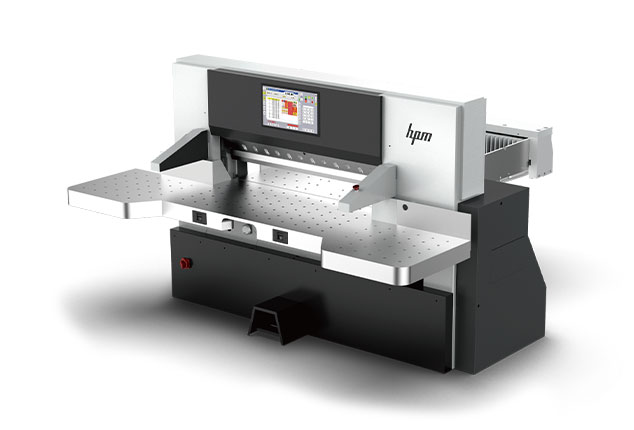
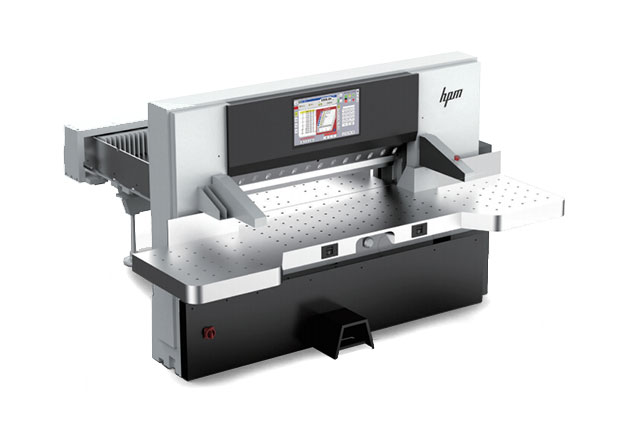
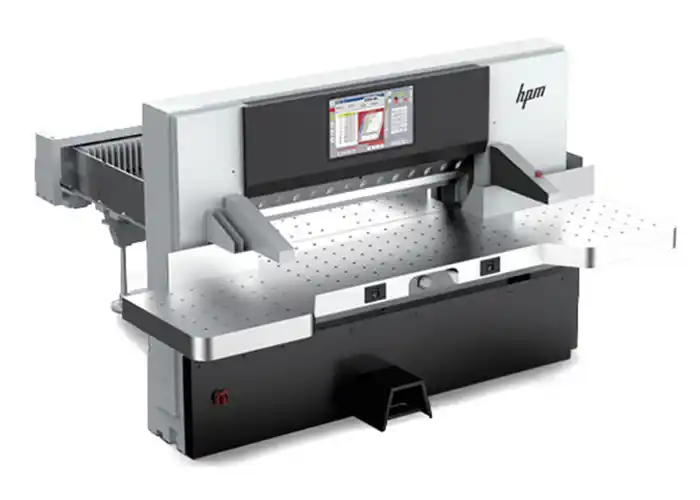
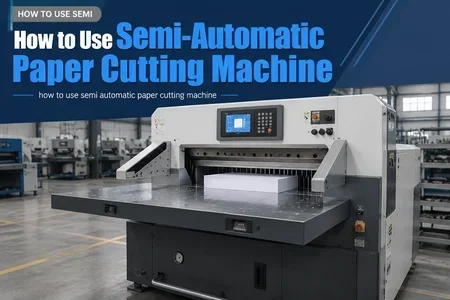
A semi-automatic paper cutting machine combines manual material handling with automated clamping and blade operation. Unlike fully automatic systems that use conveyor loading and unloading, the semi-automatic variant requires an operator to align and feed paper stacks, then initiates the cut cycle via a foot pedal or push button. The machine automatically clamps the stack, lowers the blade, and returns to home position. This design balances throughput with lower capital expenditure, making it a common choice for mid-volume paper product factories and converting plants.
From a procurement perspective, understanding this operational split helps buyers match the machine to their actual floor workflow. For example, a hypothetical facility producing 20,000 notebooks per shift may benefit from the faster cycle time of a semi-automatic cutter compared to a manual guillotine, while avoiding the higher investment of a fully automated line.
Key Preparation Steps Before Operating a Semi-Automatic Paper Cutter
Before introducing a new semi-automatic paper cutting machine to production, procurement teams should validate several preparation steps with the supplier. The following checklist covers the most critical points:
- Electrical and pneumatic requirements: Confirm voltage, phase, and compressed air specifications. Many semi-automatic cutters require 380V three-phase and 0.5–0.7 MPa air supply.
- Operator training program: Verify that the supplier provides on-site or remote training on how to use semi automatic paper cutting machine safely and efficiently, including blade changing and basic troubleshooting.
- Spare parts availability: Request a list of recommended spare parts (blades, pressure foot pads, friction rings) and confirm lead times for delivery.
- Safety device inspection: Ensure photo electric safety curtains, dual-hand start, and rear guard are included and comply with local safety regulations.
- Floor layout and foundation: Check if the machine requires a vibration-dampening foundation or specific floor load capacity.
By covering these steps during supplier evaluation, buyers avoid costly post-installation delays.
Step-by-Step Workflow: How to Use a Semi-Automatic Paper Cutting Machine
The following flow blocks outline the typical operator workflow for a semi-automatic paper cutting machine. Each step includes validation actions for the procurement team to ensure the selected machine supports efficient operation.
Step 1: Material Preparation and Loading
Operator places a stack of paper on the machine table, ensuring it is aligned against the back gauge and side guide. Buyers should verify that the back gauge adjustment is motorized and programmable, as manual back gauges increase setup time and error rates. Check the maximum pile height and table size against your typical paper sizes.
Step 2: Program Entry and Clamping
Using the control panel (usually a numeric keypad or simple display), the operator enters the desired cut length and quantity. The machine then moves the back gauge, clamps the paper stack automatically, and cuts. For procurement, ask the supplier how many program memory slots are available and whether the machine supports cut programs with multiple steps for complex layouts. A machine with at least 100 program memories can reduce changeover time in mixed-run production.
Step 3: Cutting and Material Removal
The blade descends and cuts through the stack. After the blade returns, the operator removes the cut stack and can proceed to the next program. For efficiency, evaluate whether the machine has a side gate or air table to assist with material removal, as this reduces operator fatigue. Also, check if the blade dwell time and pressure are adjustable for different paper types (e.g., coated vs. uncoated).
Step 4: Routine Maintenance and Blade Changes
Regular maintenance includes cleaning the table, lubricating moving parts (grease points), and changing the blade after a certain number of cuts (typically 50,000–100,000 cuts depending on paper type). Procurement teams should request a maintenance schedule from the supplier and include spare blade procurement in the RFQ. Also, ensure that blade change can be performed by factory technicians without specialized tools, to minimize downtime.
How to Evaluate Suppliers for Your Semi-Automatic Paper Cutting Machine
When sourcing a semi-automatic paper cutting machine, buyers should apply a structured evaluation framework. Below are key decision criteria organized by area of impact. Use this list during supplier discussions and RFQ review:
- Cut quality consistency: Request cut tolerance specs (usually ±0.3 mm or better). Ask for sample cuts from the supplier using your typical paper stock.
- Build quality and longevity: Inquire about the main frame material (cast iron vs. steel plate), gearbox type, and manufacturer of key components (e.g., hydraulics, PLC). A robust build reduces long-term maintenance cost.
- After-sales support: Clarify warranty terms, response time for service calls, and availability of remote diagnostics. For international buyers, check if the supplier has local agents.
- Safety certification: Verify CE, ISO 9001, or other relevant certifications. This is critical for liability and factory acceptance.
- Spare parts and consumables pricing: Obtain prices for blades, hydraulic oil, and air filters. Compare across suppliers to avoid hidden costs.
A hypothetical procurement example: a packaging company evaluating two semi-automatic cutters found that Supplier A offered a lower purchase price but had a 30% higher blade cost and a longer warranty period that required the buyer to ship the machine back for service. Supplier B’s higher upfront cost was offset by local spare parts stock and on-site service. The total cost of ownership (TCO) over 5 years favored Supplier B.
Common Procurement Mistakes and How to Avoid Them
Even experienced buyers can overlook key factors when purchasing a semi-automatic paper cutting machine. The following list highlights frequent errors and mitigation strategies:
- Ignoring operator skill level: If your workforce is not trained on how to use semi automatic paper cutting machine, invest in training as part of the purchase. Otherwise productivity will be lower than expected.
- Choosing the wrong table size: The table width and depth must accommodate your largest paper size plus room for jogging. A common mistake is buying a machine that fits the current product mix but limits future flexibility.
- Underestimating installation costs: Budget for foundation works, electrical wiring, air compressor, and exhaust duct. These can add 10–20% to the project cost.
- Skipping reference checks: Ask the supplier for contact details of three recent buyers in similar industries. A quick call can reveal real-world reliability and support quality.
By addressing these points early, procurement teams improve the likelihood of a smooth integration and a positive return on investment.
FAQ
What is the difference between a semi-automatic and a fully automatic paper cutting machine?
A semi-automatic paper cutting machine requires the operator to manually load and unload paper stacks, while the clamping and cutting are automated. A fully automatic machine includes automated feeding, jogging, and stacking systems, reducing manual labor but increasing capital cost and floor space. For many mid-volume applications, a semi-automatic cutter offers the best balance of cost and productivity.
How often should the blade be replaced on a semi-automatic paper cutting machine?
Blade replacement frequency depends on paper type, stack thickness, and required cut quality. As a general guideline, a blade may last 50,000 to 100,000 cuts for standard uncoated paper. Coated or abrasive papers reduce blade life. Regular inspection for nicks and edge rounding helps schedule replacements before cut quality degrades.
Can a semi-automatic paper cutting machine handle multiple paper sizes in one shift?
Yes, most modern semi-automatic machines allow the operator to switch between cut programs quickly. Look for a model with programmable back gauge memories and quick-change clamping adjustments. With proper planning, changeover time can be under five minutes.
What safety features are mandatory on a semi-automatic paper cutting machine?
Essential safety features include photo-electric safety curtains, two-hand start buttons, a rear guard, emergency stop, and blade guard. European CE certification requires these. Buyers should confirm that the machine meets applicable local safety standards before purchase.
How do I choose the right supplier for a semi-automatic paper cutting machine?
Evaluate suppliers based on cut precision, build quality, warranty, spare parts availability, and after-sales support. Request a detailed quotation that includes installation, training, and freight. Checking references and visiting the supplier’s factory (or a virtual tour) can also provide confidence. For a reliable option, consider semi-automatic paper cutting machine solutions from established manufacturers with a track record in your industry.
Conclusion
Knowing how to use semi automatic paper cutting machine is only one part of a successful procurement. B2B buyers must also prepare for supplier evaluation, operator training, and long-term maintenance planning. By applying the workflow steps and checklists outlined in this guide, procurement teams can reduce implementation risks and achieve consistent cut quality. As a next step, verify your machine specifications against the preparation checklist and request a trial run from shortlisted suppliers. For further information, review our production capacity page to understand the manufacturing scale expected from a reliable partner.