
 English
 Français
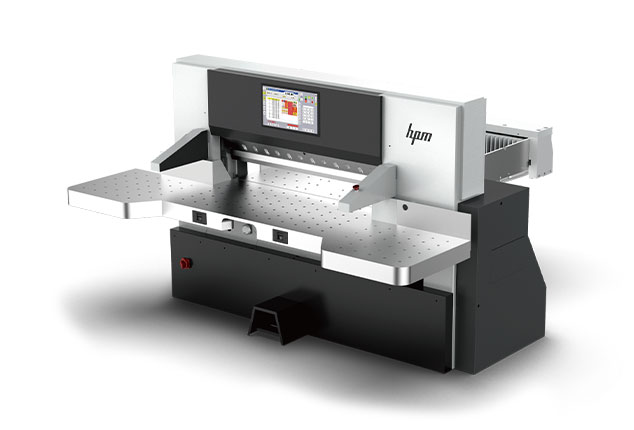
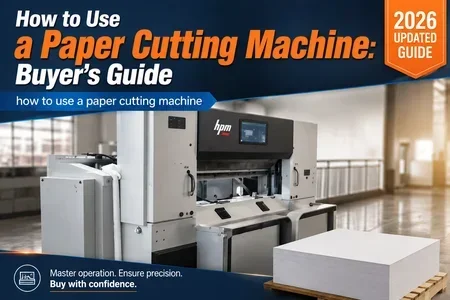
Article Overview: This guide is written for procurement managers, sourcing teams, and project engineers who need to understand how to use a paper cutting machine before issuing an RFQ or evaluating suppliers. Proper knowledge of how to use a paper cutting machine directly affects operator safety, cut quality, and total cost of ownership. We cover operational best practices, supplier validation criteria, cost-risk tradeoffs, and common buying pitfalls. For a complete view of how to use a paper cutting machine in your production line, refer to the Paper Cutting Machine solutions.
How to Use a Paper Cutting Machine: Key Operational Steps
Understanding the fundamental workflow of how to use a paper cutting machine helps buyers specify correct features and avoid mismatched equipment. The following flow block outlines the core sequence that operators follow in industrial environments.
Step 1: Prepare the Paper Stack
Align the paper pile on the front table, ensuring edges are square. Check that the pile height does not exceed the machine’s maximum cutting height. Use a pile turner if necessary to avoid paper distortion. For high-volume operations, consider an automated paper loading system to reduce manual handling.
Step 2: Set Clamping Pressure
Adjust the clamp pressure according to paper type and pile thickness. Too much pressure can mark or damage the paper; too little can cause shifting during the cut. Most industrial paper cutting machines allow programmable clamp settings. Ask suppliers for a pressure range specification and whether the clamp is hydraulically or mechanically actuated.
Subsequent steps include programming the back gauge position, executing the cut, and removing waste. Buyers should verify that the machine’s control system supports job memory and incremental back gauge moves to optimize how to use a paper cutting machine for repeat jobs. Additionally, evaluate the blade gap adjustment mechanism—automatic knife adjustment reduces setup time and improves consistency.
What Should You Validate Before Buying a Paper Cutting Machine?
Procurement teams often focus on price and speed, but long-term performance depends on several validation points. Use the checklist below when comparing suppliers.
- Cut Accuracy: Request certified cut tolerance data (e.g., ±0.2 mm). Ask whether the machine uses linear guides or ball screws. For high-precision work, look for servo-driven back gauges.
- Safety Compliance: Confirm that the machine meets ISO or CE standards. Check for two-hand operation, light curtains, and rear guard interlocks. Request a copy of the safety certification.
- Blade Life and Changeover: Inquire about blade material (e.g., HSS or carbide) and average number of cuts per sharpening. Ease of blade change affects downtime. Some machines feature quick-change blade systems.
- Control System: Evaluate the user interface (PLC touchscreen vs. membrane keypad). Look for job storage, automatic knife adjustment, and diagnostic features. A color touchscreen with intuitive menus reduces training time.
- Support and Spare Parts: Ask about availability of blades, cutting sticks, and hydraulic parts. Verify lead times and local service presence. Consider suppliers who offer preventive maintenance contracts.
Using this checklist reduces the risk of selecting a machine that is difficult to operate or maintain. It also helps you benchmark how to use a paper cutting machine across different manufacturer proposals.
How to Use a Paper Cutting Machine for Maximum Efficiency
Efficient operation of a paper cutting machine goes beyond the basic cut sequence. Buyers should consider how the machine integrates with upstream and downstream processes. For instance, a semi-automatic machine may require manual loading and unloading, while a fully automatic line includes a paper loader and unloader. When planning how to use a paper cutting machine for maximum output, evaluate the following:
- Job Scheduling: Use CNC programs that batch similar paper sizes to reduce setup time. Machines with large program memory and repeatability functions minimize changeover delays.
- Waste Reduction: Optimize cutting patterns with software that nests jobs efficiently. Some control systems include built-in cut optimizer tools.
- Maintenance Planning: Schedule blade sharpening and lubrication during planned downtime. Track blade usage with machine counters to predict replacement intervals.
- Operator Training: Invest in certified training for standard operating procedures. A well-trained team cuts waste by up to 15% in typical print plants. Ask suppliers if they provide on-site training and refresher courses.
The Paper Cutting Machine solutions offer programmable back gauge and automatic knife adjustment to support these efficiency drivers.
What Are the Cost-Risk Tradeoffs When Buying a Paper Cutting Machine?
Procurement decisions involve balancing upfront capital against long-term operational costs. Below we outline the main tradeoffs to consider when learning how to use a paper cutting machine and selecting a model.
Tradeoff 1: Initial Price vs. Blade Longevity
Lower-cost machines may use softer blade steel, requiring more frequent sharpening and replacement. A higher upfront investment in carbide or hardened steel blades can reduce total cost over years of operation.
Tradeoff 2: Manual vs. Automatic Systems
Semi-automatic machines are cheaper but require more operator labor. Fully automatic systems with loaders, unloaders, and jogging stations increase throughput but add complexity. Calculate ROI based on your production volume and labor rates.
Other tradeoffs include control system sophistication (simple keypad vs. touchscreen with remote diagnostics), safety feature depth, and supplier lead times. Request total cost of ownership projections from at least three vendors before finalizing your decision.
How to Evaluate Supplier Capabilities for Paper Cutting Machines?
Not all suppliers can deliver consistent cut quality and reliable after-sales support. When you ask “how to use a paper cutting machine” in the context of supplier evaluation, focus on their manufacturing process and quality controls. The flow block below outlines a structured evaluation approach.
Phase 1: Request Technical Documentation
Ask for machine drawings, electrical schematics, spare parts list, and CE or ISO certificates. A transparent supplier will share these without hesitation. Review the documentation for completeness and clarity.
Phase 2: Conduct a Factory Audit or Virtual Tour
If possible, visit the production site. Check welding quality, wiring harnesses, and paint finish. For overseas suppliers, request a live video walkthrough of the assembly area. Verify that the manufacturing facility follows ISO 9001 quality management principles.
Additional evaluation criteria include the supplier’s experience with similar paper types and production volumes. Cross-reference their how to use a paper cutting machine training materials to gauge operator training support. Inquire about reference customers and request case studies relevant to your industry.
Safety and Compliance for Paper Cutting Machine Operators
Industrial guillotines are dangerous if not operated correctly. A core part of how to use a paper cutting machine is understanding safety mechanisms. When evaluating suppliers, verify that the machine includes:
- Light Curtains or Safety Guards: Prevent access to the cutting zone during operation. Ensure the light curtain has a response time fast enough to stop the blade before contact.
- Two-Hand Run Buttons: Ensure the operator’s hands are clear. Buttons should be spaced so they cannot be operated with one hand.
- Emergency Stop System: Easily accessible and wired to cut power to the motor and hydraulics. Multiple e-stops along the machine perimeter are recommended.
- Brake and Clutch Interlock: Stops the blade if the brake fails. This prevents accidental blade drop during maintenance.
Beyond hardware, request a copy of the operator manual and safety checklist. Ask the supplier about their how to use a paper cutting machine training curriculum—does it cover lockout/tagout procedures? Compliance with ISO 16090 or ANSI B65.3 should be documented. Also inquire about noise levels and ergonomic features to protect operator health over long shifts.
FAQ
What is the best way to learn how to use a paper cutting machine?
The best approach combines hands-on training from the supplier with a comprehensive operator manual. Many manufacturers offer on-site instruction or video tutorials. For procurement teams, it is advisable to request a training plan as part of the purchase agreement. Look for suppliers that provide certification for operators.
How often should a paper cutting machine blade be replaced?
Blade life depends on paper type, cutting volume, and material quality. Typically, a blade can handle 500,000 to 1 million cuts before needing replacement. Regular sharpening extends blade life; discuss sharpening service with your supplier. Some machines have blade wear indicators to simplify maintenance scheduling.
Can a paper cutting machine handle different paper sizes without reprogramming?
Yes, most modern machines store multiple job programs. Operators can recall pre-set back gauge positions and clamp pressures. Verify that the control system allows at least 100 program storage slots for flexibility. Some advanced models support barcode scanning to recall jobs automatically.
What safety certifications should I look for when buying a paper cutting machine?
At minimum, the machine should comply with CE marking in Europe or equivalent standards in your region. Look for ISO 16090 or ANSI B65.3 compliance for guillotines. Request a copy of the Declaration of Conformity. For machines sold globally, also check for UL or CSA marks if required.
How long does it take to install and commission a paper cutting machine?
Installation time varies by machine size and complexity. Typically, a standard paper cutter can be installed in 1-2 days, including leveling, electrical connection, and calibration. Full commissioning with operator training may take an additional 3-5 days. Include this timeline in your project planning.
Conclusion
Mastering how to use a paper cutting machine is not only about operator skill—it starts with choosing the right equipment from a reliable supplier. By following the operational steps, validation checklists, cost-risk tradeoffs, and supplier evaluation methods in this guide, procurement professionals can reduce purchase risk and ensure long-term productivity. For more detailed specifications and solution examples, explore the Paper Cutting Machine solutions on our site.
Related site pages: how to use a paper cutting machine, Home.